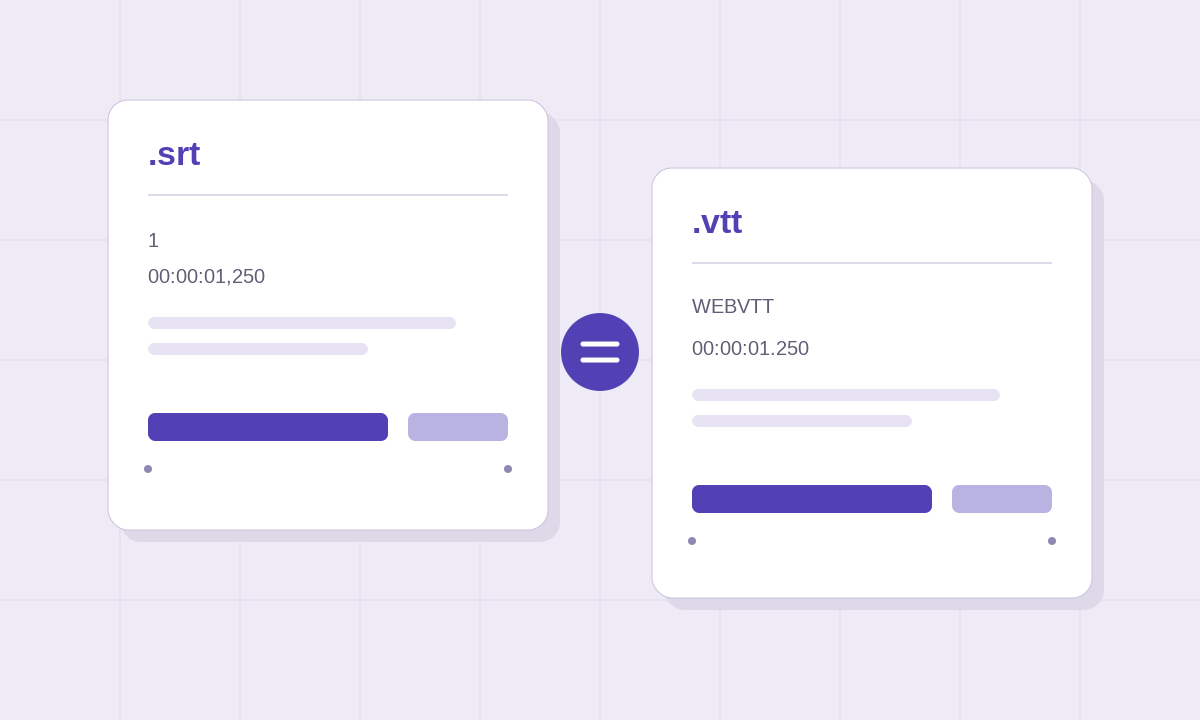
Translating a subtitle file is not the same as translating a paragraph. Each cue has a display interval, and the translated words must still fit that interval when the viewer sees them. A translation can be accurate and still break the viewing experience if cues are merged, timestamps are regenerated or the target text is much longer than the source. This guide covers a safe workflow for SRT and VTT, including the checks that catch timing damage.
Quick answer
Translate the text inside each cue and keep the cue count, order and timestamps unchanged. Use the independent translation workspace, import the SRT or VTT file without transcribing first, then export and compare the first and last timestamps with the source. If the translated line is too long to read in its interval, edit the wording or the timing in a subtitle editor rather than deleting meaning or stretching the whole file.
What must stay stable, and what should change
On a narrow screen, scroll the table sideways to read every column.
| Element | During translation | Why |
|---|---|---|
| Cue number or identifier | Keep | Preserves order and references |
| Start and end times | Keep | Controls when the viewer sees the cue |
| Cue order | Keep | Prevents dialogue from appearing out of sequence |
| Cue text | Translate | This is the actual translation work |
| Line breaks | Review | A break that helped the source may hurt the target |
| Simple inline formatting | Check | Italics or emphasis may need to move with the words |
| Speaker labels inside the cue | Review | Names and roles may need localisation or a policy decision |
| Reading speed | Review | Longer target text may need editing or retiming |
The safest rule is one source cue, one translated cue. Merging two cues changes the display interval of both. Splitting one cue creates a new timing decision that the translator may not have the audio to make. If the source cue structure is poor, fix it before translation and keep a copy of the original.
Before you import the file
- Confirm that the source subtitle file plays correctly and has valid start and end times.
- Keep an untouched copy of the source file and note its format, encoding and cue count.
- Check whether the source contains speaker labels, italics, line breaks or other markup you need to preserve.
- Decide whether the target needs a literal translation, a natural reading version or a specific register.
- Choose the source and target languages offered in the translation workspace.
- If the source transcript has known errors, correct the source before translating; translation will carry them forward.
A subtitle file with invalid timing is a bad input for translation. Fix end-before-start cues, zero-length cues and impossible overlaps first. Translation should not be asked to repair structure it cannot see.
A safe SRT and VTT workflow
- Open the translation workspace and choose the independent file option rather than starting a transcription.
- Import the SRT or VTT file and confirm the cue count shown by the interface.
- Select the source language and the target language.
- Translate the file and keep the page open while progress completes.
- Review a sample of cues for meaning, names, numbers and negation before exporting.
- Export SRT or VTT in the format your destination accepts.
- Compare the exported timestamps with the source and play the result in the destination player.
The independent workspace is important when you already have captions. You do not need to transcribe the recording again just to translate an existing subtitle file. If you do not yet have a subtitle file, generate one from the recording first, then review the words before translating.
A translation example with unchanged timing
Below is an illustrative source cue and a French, Spanish and Arabic translation. The timestamps are identical in every version. The wording changes, and the line length changes, but the display interval does not.
1
00:00:01,123 --> 00:00:03,456
We started in March.

2
00:00:03,456 --> 00:00:06,200
Not in March — April.
On a narrow screen, scroll the table sideways to read every column.
| Language | Cue 1 | Cue 2 |
|---|---|---|
| English | We started in March. | Not in March — April. |
| French | Nous avons commencé en mars. | Pas en mars, en avril. |
| Spanish | Empezamos en marzo. | No en marzo, en abril. |
| Arabic | بدأنا في مارس. | ليس في مارس، بل في أبريل. |
These are short cues, so the target text still fits comfortably. Real subtitles often contain longer sentences, names, legal phrasing or technical terms that expand in translation. That is a reading-speed problem, not a reason to change the timestamp silently.
When the translation is longer than the source
Text expansion is normal. A target language may need more words, more characters or a different sentence order to express the same meaning. The cue interval stays the same unless a person deliberately changes it. Your options, in order, are usually: tighten the wording without dropping meaning, move a clause to an adjacent cue if the source allows it, or retime the cue in a subtitle editor after reviewing the audio.
Do not solve expansion by deleting a negation, a name or a qualifier. A shorter cue that says the opposite is worse than a longer cue that needs retiming. Do not shrink the font or rely on the player to squeeze the text; the viewer’s screen and settings are outside your control.
Arabic, mixed direction and punctuation
Arabic cues are right-to-left, but a cue may contain Latin names, numbers, file paths or a quoted phrase in another language. Test the exported file in the player where it will be published instead of judging direction in a text editor. Avoid inserting invisible direction-control characters unless the destination specifically requires them; some players display them as artefacts or copy them into search results.
Check punctuation after translation. A comma, question mark or quotation mark may need a different form in the target language. Preserve numbers and units exactly unless the project has a defined conversion policy. If a name is transliterated, use one consistent form across all cues and keep the original spelling in the source file.
What translation does not do
Translation does not guarantee that the meaning is preserved, that the tone is appropriate or that a technical term is correct. It does not add speaker labels, describe non-speech sounds, create accessibility captions or verify facts. It does not retime cues to match a longer target sentence, and it does not make an inaccurate source transcript accurate. Those tasks require review and, where needed, a subtitle editor.
The output should be treated as a translated draft. A fluent result can still omit a negation or mistranslate a name. Review the meaning against the source before publishing, especially for interviews, medical or legal content, and anything that will be quoted.
Checks before publishing
- The exported file has the same number of cues as the source, unless a deliberate merge or split was documented.
- The first and last timestamps match the source file.
- No cue starts after it ends, and no cue has zero duration.
- Names, numbers, units and negations were checked against the source.
- The longest translated cues can be read in their display interval.
- Arabic direction, punctuation and mixed Latin text render correctly in the destination player.
- The final file opens in the player or platform that will publish it, not only in a text editor.
For a meaning-focused review, use how to review translated subtitles. For structural edits and timing changes, read edit an SRT file without losing its timing. For format differences, see SRT vs WebVTT. If you need to create the source captions first, start with subtitle generation and the timestamps guide.