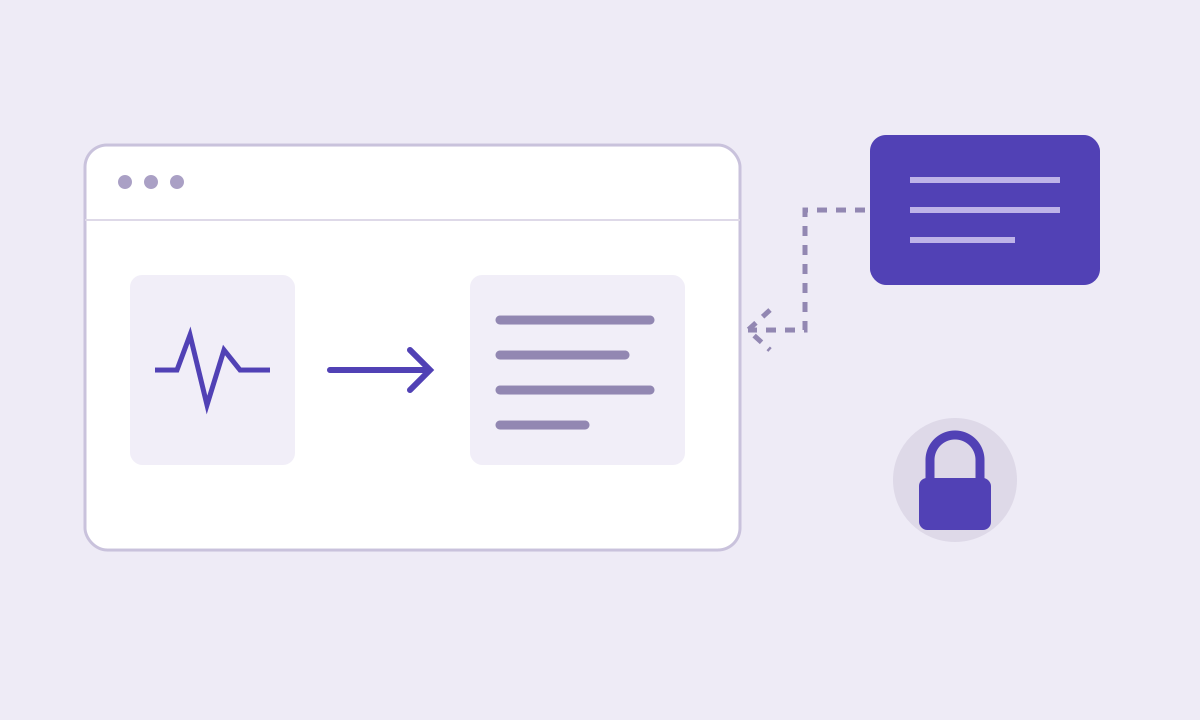
Browser-local transcription means the recognition work runs on your device. In Transcribana, the application does not send your selected recording, extracted audio or transcript to a transcription server. That is a useful privacy boundary, but it is not the same as saying that the website makes no network requests. The page, its software and the speech model still have to reach your browser.
This guide explains the application’s data flow and practical limits. It is not a replacement for the Privacy Policy or a certification that a particular recording is appropriate to process. If your organization has rules about sensitive material, check those before using any tool, including a local one.
Follow the recording separately from the software
Selecting a file gives the page access to the file you chose. The application reads supported media locally, prepares audio and passes it to a browser worker for recognition. A worker is another execution context in your browser, not an external transcription service. The returned segments feed the document, subtitle view and exports.
Model downloads travel in the opposite direction: software and model data arrive at your device. Seeing a large download therefore does not itself mean the recording was uploaded. Equally, a familiar hostname is not proof that every request is harmless. Distinguish the request’s purpose and contents rather than drawing a conclusion from its size alone.
On a narrow screen, scroll the table sideways to read every column.
| Data or activity | What it is for | What to expect |
|---|---|---|
| Selected media and extracted audio | Local speech recognition | Processed in the browser; not sent by the application to a transcription endpoint. |
| Model and runtime files | Enable local computation | Downloaded or read from available browser caches. |
| Transcript and correction text | Review and local writing checks | Handled locally; not included in the application’s analytics event fields. |
| Optional analytics events | Measure page visits and basic tool actions | Enabled only after analytics acceptance; ordinary connection/device information still applies. |
| Adsterra advertising frames | Optional banner and native advertising | Loaded in an isolated cross-origin frame; your media, transcript and translation text are not shared with it. |
What still uses the network?
The website requests page assets and inference resources, including model delivery through Hugging Face infrastructure. Asset delivery also uses the site’s Cloudflare infrastructure. These providers receive ordinary connection information for requests they handle. Their policies govern their own handling; local speech processing is not a promise that providers receive no IP address or connection logs. See Cloudflare’s privacy policy for its disclosures.
Adsterra advertising is separate from the optional analytics choice. Ads may load in isolated frames at supported placements; accepting or declining analytics does not change advertising behaviour. Those frames receive ordinary connection and device information, but not your selected media, transcript or translation text. Avoid describing this architecture as “zero third parties” or “no advertising requests.”
Understand the analytics choice
Analytics remains off until you accept. When enabled, the application sends page views and basic transcription/export events with restricted parameters. It does not include filenames, audio, transcript text, user-entered text or raw error messages in those fields. This is a statement about the application’s event construction, not a claim that Google receives no connection information.
Declining does not remove access to transcription. Cookie settings lets you change your choice later. The consent choice is saved in this browser for 180 days; withdrawal stops measurement and clears the site’s Google Analytics cookies. Model caches and the saved website language are separate. For the current disclosures, read Cookies and browser storage.
Local does not mean automatically saved
The working transcript lives in the page session. Closing or reloading the page is not a dependable way to preserve it. Download the version you need before leaving or starting another recording. Keeping the source file on your computer does not also save the edited transcript.
Browser caches may retain model assets, but that is not a guarantee of offline operation. A new page may need resources that are absent, removed or unavailable. Clearing site data can remove preferences and cached resources and may require another model download. Do not test this by closing your only unsaved transcript; save the work first.
An illustrative privacy check you can repeat
Use a non-confidential practice file if you want to inspect requests in browser developer tools. Open the Network panel before loading the page, note whether analytics is declined, and separate page resources, model downloads and any optional-service requests. This is a suggested inspection procedure, not a claim that a live network audit was performed for this article.
Do not publish a full network capture without reviewing it: request details can contain connection or session information. A useful support question describes the browser, file format and failed step without attaching private media or confidential text. The Contact page explains how to reach the service.
Before processing a sensitive recording
- Confirm that you are entitled to process the recording.
- Check applicable workplace or research requirements.
- Distinguish local media handling from asset and optional-service requests.
- Choose analytics preferences deliberately.
- Keep the device and browser access appropriate to the material.
- Save the required transcript and subtitle versions before leaving.
- Review exports before sharing them with anyone else.
Local processing limits one important disclosure path; it does not replace device security or careful sharing. For example, a locally downloaded TXT can still be exposed if you later put it in a shared folder. The SRT/VTT guide also explains why the edited document and original timed exports may contain different wording.