An Arabic transcript can look fluent while changing an important detail. Treat recognition as a draft to compare with the recording, not as proof of what somebody said. This guide helps you review Arabic words and presentation without turning a dialectal statement into a different statement in formal Arabic. Its examples are invented for explanation, not measured model errors.
Choose the kind of transcript before editing
Decide whether the document should preserve spoken wording or become an edited reading version. A speaker may mix Modern Standard Arabic, dialectal vocabulary and foreign technical terms. Replacing those forms with formal equivalents is an editorial choice, not automatically a recognition correction. Keep the original wording available and label a substantially edited version.
Select Arabic when the recording is known to be Arabic. Auto Detect is a convenience, not a quality guarantee for every opening, dialect or mixture of languages. This guide does not rank dialect accuracy or claim that every dialect has been validated. The site’s Arabic interface and the spoken language selection are separate concerns.
Review the words that can change meaning
On a narrow screen, scroll the table sideways to read every column.
| Illustrative source | Risk during editing | Review decision |
|---|---|---|
| ما وصلش لسه. | Rendering it as “He arrived” loses the negative; even formalizing it changes the register. | Preserve the spoken negative. If formal wording is needed, label the edited version and verify the intended meaning. |
| خمسة عشر / خمسون | Fifteen and fifty lead to different quantities. | Replay the number with its unit and context. Do not resolve unclear audio from grammatical plausibility alone. |
| سارة / سارا | A plausible spelling may not be the person’s preferred spelling. | Check an authorized reference or ask; do not present a guess as verification. |
| هنراجع الـ API بكرة. | Replacing the technical term or normalizing the whole sentence may alter terminology or voice. | Check the term against the project’s source material and preserve the intended wording. |
Keep dialect and uncertainty visible
Words such as لسه carry meaning in context; an editor should not simply delete unfamiliar vocabulary. Listen to the full turn, not only the isolated word. Where two people overlap or the sound is unclear, keep a review note tied to the passage. Do not silently supply missing speech because the surrounding sentence suggests an answer.
A name or place may have several conventional spellings. Use an appropriate reference without exposing private recordings, and distinguish confirmed spellings from guesses. A dictionary or writing checker cannot establish who was speaking or which town was named. For quotations, changes to negation, tense or certainty deserve a separate listening pass.
Check numbers with their units
Review amounts, dates, percentages and identifiers as complete units. “15” without its currency or measurement can still be misleading. Choose a consistent digit style for the reading document only after confirming the value. Converting between ١٥ and 15 changes display, not evidence; it cannot repair a wrongly recognized number.
Do not assume a date order or expand an abbreviation without context. If a number is uncertain, preserve that uncertainty in working notes rather than turning a neat-looking number into an apparently verified fact. Compare the final edited sentence with the source once more.
Punctuation and mixed-direction text need separate checks
Use Arabic punctuation where appropriate, including ، and ؟, but let meaning guide sentence boundaries. A pause is not always the end of a sentence. An added question mark can change an assertion into a question. Diacritics should not be invented to make an uncertain word appear settled.
Arabic paragraphs read right to left, while Latin terms, URLs and many number sequences have their own direction. Inspect a mixed example such as “راجع API v2 قبل الساعة 15:30.” in the final destination. If characters appear misplaced, first distinguish a display-order problem from incorrectly stored text. Avoid adding direction-control characters throughout an export as a blind fix; different players can behave differently.
Review subtitles against the recording
Document editing does not retime the speech. Copy and TXT follow the selected document version, while SRT, VTT and JSON preserve canonical recognition segments. Transfer verified corrections to a suitable subtitle editor if you need a corrected timed deliverable. Check both the words and their appearance with the actual audio or video.
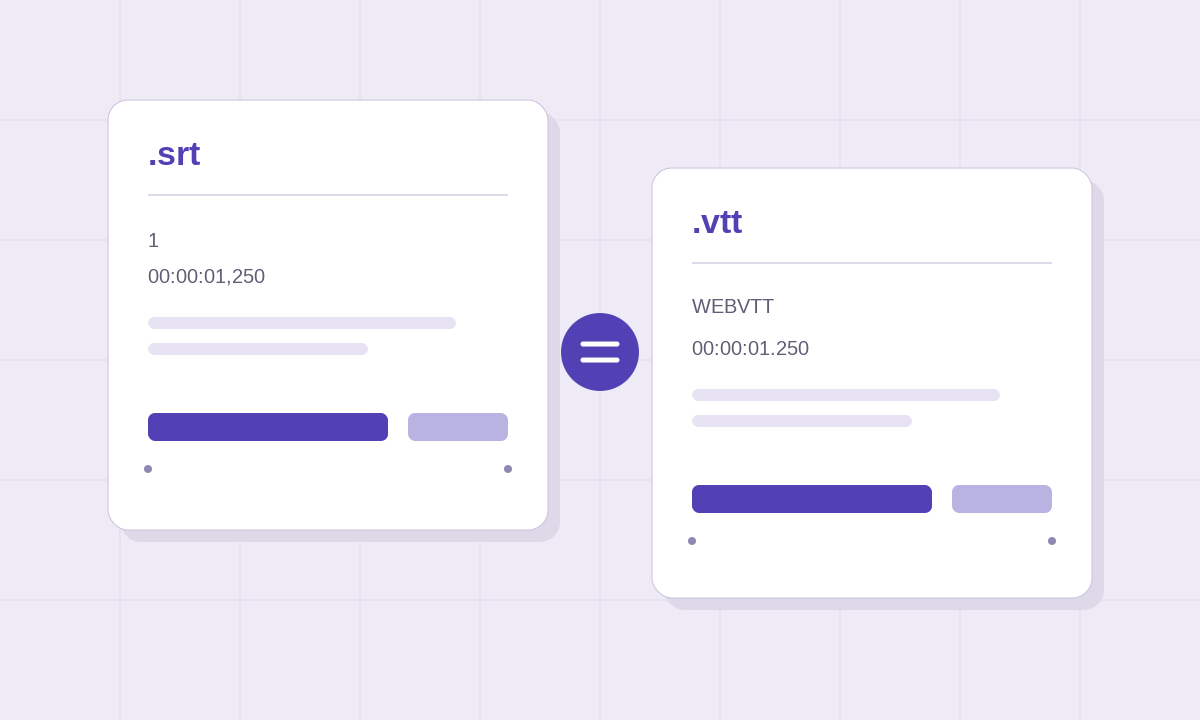
SRT uses numbered cues and comma-separated milliseconds; WebVTT begins with WEBVTT and uses a dot before milliseconds. Keep timing syntax intact and check Arabic punctuation and mixed text in the receiving player. Estimated model times still require human review. Missing valid timing must not be replaced with invented precision. See SRT and WebVTT for format examples.
Finish with two different reading passes
First listen for meaning: negatives, names, quantities, omitted words and technical terms. Then inspect presentation: spacing, punctuation, direction and cue readability. These passes solve different problems. The recording checklist helps with future audio; troubleshooting helps isolate current file or processing failures. Neither replaces listening to consequential passages.
- Decide whether the document is faithful or edited.
- Keep dialect vocabulary unless an edit is intentional.
- Check negatives, names and place names against evidence.
- Review numbers together with units and context.
- Inspect Arabic/Latin display in the destination.
- Review timed exports separately from corrected text.
- Keep the original and mark unresolved uncertainty.